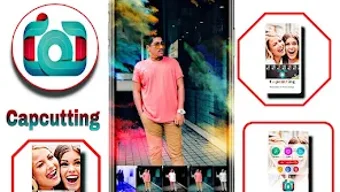

Download Capcuttings Open – Photo Editing, Android, Fashion & Style, Free, Easy, Quick, Crop, Edit
Overview
Capcuttings Open is a free Android application designed for users seeking straightforward photo editing capabilities without the complexity of professional software. Developed by Sohag it, the app falls under the Lifestyle category, specifically targeting the Fashion & Style niche. Its primary purpose is to simplify the process of cropping, cutting, and editing photos directly from mobile devices. The app is ideal for individuals who want to enhance their images quickly for social media platforms such as Instagram, Facebook, and TikTok. With minimal learning curve, Capcuttings Open enables users to transform their photos with just a few taps, making it accessible even to those with no prior experience in photo editing.
Real-world usage scenarios include preparing profile pictures, resizing images for posts, or refining fashion snapshots for online sharing. The app allows users to select images from their device’s gallery or capture new ones directly within the application. While specific details about the developer’s background are limited, the app’s focus on simplicity and accessibility suggests a target audience of casual users, content creators, and mobile-first photographers. The developer did not provide additional system requirements or performance benchmarks.
Key Features & Capabilities
- One-Tap Photo Cropping and Cutting – Users can quickly resize and reshape images with intuitive touch controls, ideal for creating consistent formats for social media.
- Basic Image Adjustments – Tools for modifying brightness, contrast, and saturation allow users to enhance image quality without advanced knowledge.
- Gallery Integration – Seamless access to device photos enables effortless selection and editing of existing images.
- On-the-Go Photo Capture – The app supports direct camera integration, allowing users to take new photos and edit them immediately.
- Intuitive User Interface – A clean, minimal design ensures that navigation is simple and efficient, reducing the time needed to complete edits.
These features are particularly useful for users who need to prepare content rapidly. For example, a fashion blogger can take a snapshot of an outfit, crop it to fit Instagram’s square format, adjust brightness for better visibility, and post it within minutes. Similarly, a social media user can quickly edit a group photo to highlight a specific person or remove unwanted background elements. The app’s design emphasizes workflow efficiency, enabling users to complete edits in fewer steps than traditional photo editing tools.
User Interface, Workflow & Performance
The user interface of Capcuttings Open is structured around simplicity and ease of access. Core editing tools are displayed prominently on the screen, minimizing the need for complex menu navigation. Users can switch between editing modes—crop, cut, and adjust—using clearly labeled icons, which enhances usability across different age groups and experience levels.
Workflow efficiency is a key strength, as the app guides users through each step with minimal interruptions. From selecting a photo to applying adjustments and saving the result, the process is linear and intuitive. However, the developer did not specify resource usage details, so performance behavior in terms of CPU or RAM consumption remains unknown. General software behavior patterns suggest stable operation under typical usage conditions, but no formal stability testing or benchmarking data was provided.
Users can expect a responsive interface during basic editing tasks, though performance may vary depending on device hardware and image size. The app does not indicate whether it runs in the background or supports batch processing. Without additional technical documentation, exact performance metrics cannot be confirmed.
Compatibility & System Requirements
Capcuttings Open is designed for Android devices and is available as a free download. The app’s operating system compatibility is confirmed as Android, though specific version requirements were not listed. Installation size information is also not provided by the developer. The developer did not specify hardware requirements such as minimum RAM, processor speed, or storage space.
Users should ensure their Android device meets general app installation standards, but exact system requirements remain unclear. Compatibility with older Android versions or specific device models was not mentioned. Platform compatibility information is limited, and no details were shared about support for tablets or other form factors. The developer did not provide information on whether the app supports offline usage or requires an internet connection for core functions.
Pros and Cons
Pros
- Free to download and use with no in-app purchase prompts
- Simple, intuitive interface suitable for beginners
- Quick editing workflow with minimal steps
- Supports both gallery access and on-device photo capture
- Offers essential editing tools like brightness, contrast, and saturation
Cons
- No detailed system requirements or performance specifications provided
- Limited to basic editing functions; no advanced tools like filters or layers
- Unknown compatibility with older Android versions
- No information on update frequency or long-term support
- Does not indicate whether edits are saved in original quality
Is Capcuttings Open available for iOS devices?
Capcuttings Open is currently only available for Android devices. There is no information indicating support for iOS platforms.
Does the app require an internet connection to function?
The developer did not specify whether Capcuttings Open requires an internet connection. It may function offline for basic editing tasks, but no confirmation was provided.
Can I use Capcuttings Open without creating an account?
Yes, the app does not require users to create an account or sign in to access its core editing features.
Are there any in-app purchases or ads in Capcuttings Open?
Capcuttings Open is described as a free app. While no information was provided about ads or in-app purchases, users should be cautious of potential monetization methods not disclosed in the official description.
How often is Capcuttings Open updated?
Information about update frequency was not provided by the developer. Users should check the app store for the latest version and release notes.
Final Thoughts
Capcuttings Open delivers a streamlined photo editing experience tailored for Android users who value simplicity and speed. Its intuitive interface and essential editing tools make it a solid choice for casual users, social media content creators, and those new to image editing. While it lacks advanced features and detailed technical documentation, its focus on accessibility and ease of use stands out. The app is particularly effective for quick edits and social media optimization, offering professional-looking results with minimal effort.
For users seeking a no-frills, free tool to crop, cut, and adjust photos on the go, Capcuttings Open provides a functional and efficient solution. Despite missing detailed specifications, its straightforward design and immediate usability make it a worthwhile addition to any mobile toolkit. Download Capcuttings Open now.





.png)

